
Ad pixels
Set a pixel once per artist and every smart link, bio page and gate reports to it automatically.
Indie and above
What a pixel does for you#
A pixel lets an ad platform recognise people who visited your pages. Two things come from that: you can show ads again to people who came but didn't listen, and the platform learns what your listeners look like so it can find more of them.
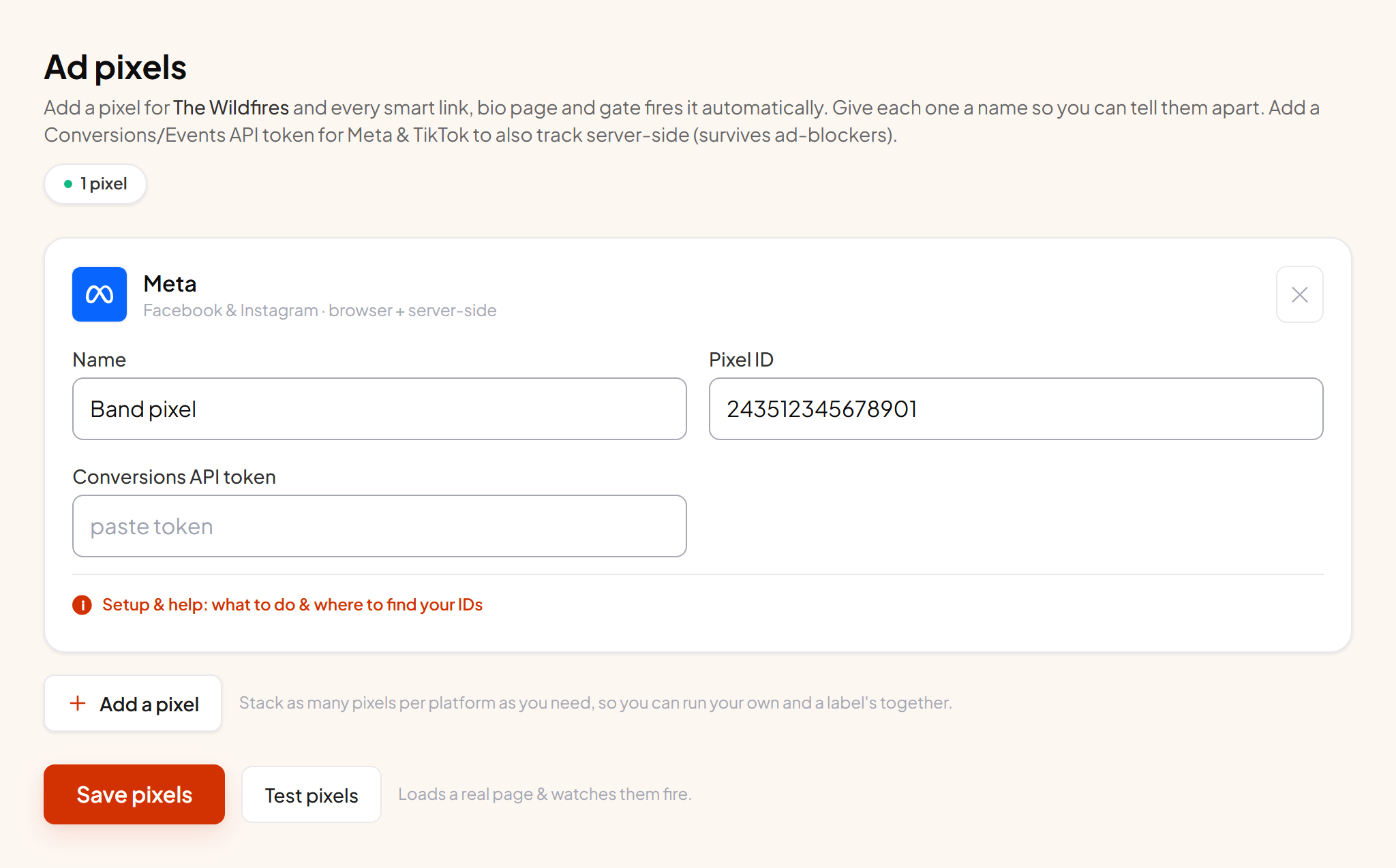
Pixels belong to the artist, not to each link. Add one on the Ad pixels page and every link, bio page and gate for that artist starts firing it. There is nothing to set up per release.
Which platforms#
Meta, TikTok, Google Ads, Snapchat, Reddit, Pinterest and X. Indie includes Meta. Pro unlocks all seven.
ℹ Server-side is Meta and TikTok only
Adding one#
- 1 Press Add a pixel and choose the platform Give it a name you'll recognise later, like "Band pixel" or "Label pixel".
- 2 Paste the pixel id In Meta it's under Events Manager, Data sources, and it's the long number under the pixel name. Each platform's card tells you exactly where to look for its own.
- 3 Add an access token if the platform supports one For Meta and TikTok this is what turns on server-side tracking. It is the single most valuable thing on this page.
- 4 Save, then test Press Test pixels. We open one of your real pages in a browser and report which pixels fired and whether the ids look valid.
Why the access token matters#
Browser pixels are blocked for a large share of music audiences. Ad blockers, private browsing and platform tracking protection all stop them. When that happens the visit is invisible to your ad platform, so your campaign optimises on partial data.
With an access token saved, we also send the event from our servers, which no blocker can stop. Both copies carry the same id so the platform merges them instead of double counting. Adding a token usually recovers a noticeable share of conversions.
Running more than one pixel#
On Roster and Label you can add several pixels of the same platform, which is what you need when a release has to report to both your own pixel and a label's. Every pixel receives every event. On lower plans it is one pixel per platform.
Checking it actually works#
Test pixels loads your live page in a real browser on our servers and watches the network, then tells you which pixels fired, whether the id matches what you entered, and whether the platform recognises it. It is a real check, not a guess based on your settings.
The separate server-side test sends one event and shows the platform's raw response, which is the fastest way to find out that a token is wrong.
Consent comes first#
Pixels do not load until a visitor accepts marketing cookies where consent is required. That is a legal requirement, not a setting. It means your numbers will be lower than your raw traffic, which is expected and correct.