
Scheduled releases
Put the link up the day you announce, and let it turn into the real thing on release day.
What scheduling does#
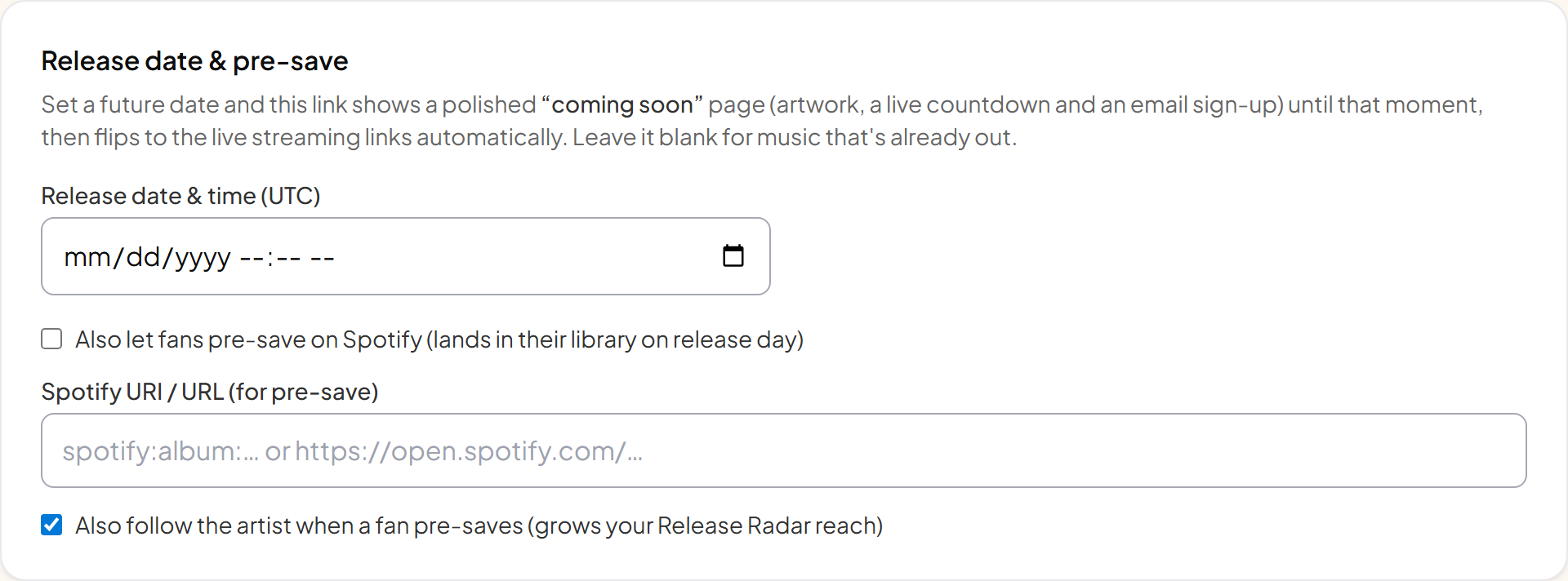
Set a release date and the page becomes a coming-soon page: artwork, a countdown, and a way for fans to register interest. At the moment you chose, it switches itself into a normal smart link with service buttons. Nothing to press on the day.
Why put it up early#
The link address never changes, so anything you print, post or schedule in advance keeps working through release day. Every week the page is live is a week of collecting fans who already care, and they are the people whose first-day activity matters most.
Two kinds of coming-soon page#
| Mode | What fans get |
|---|---|
| Email notify | A sign-up box. You email them on release day. Works for every service and every release, and you keep the addresses. |
| Spotify pre-save | A pre-save button. The release is added to their library automatically on the day, and optionally follows you too. |
Pre-save needs the Spotify address of the upcoming release from your distributor. Until you have it, run the email version and switch over later.
The countdown#
Days, hours, minutes and seconds, counting down live. When it reaches zero the page reloads itself into the released version, so a fan sitting on the page at midnight sees it flip.
Timing it right#
⚠ Set it in UTC
Setting it slightly after the official release moment is safer than slightly before, since services need a few minutes to make a release playable everywhere.