
Quick start
Paste a Spotify link, get a page that sends every fan to the service they already use. About two minutes, no card needed.
What you'll have at the end#
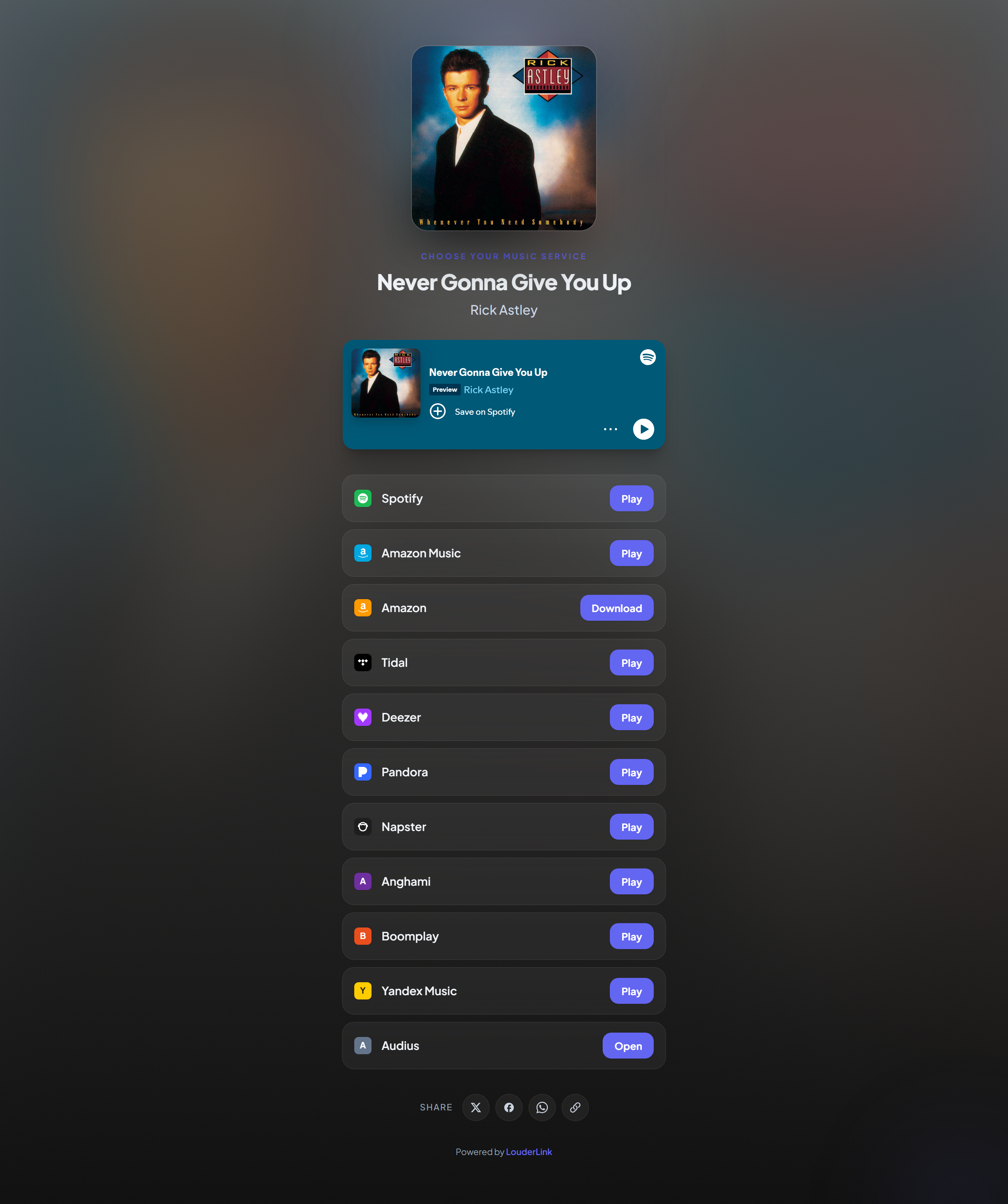
One short link you can put in a bio, an ad or a poster. When a fan opens it they see your artwork and a button for each service the release is on, and tapping one opens it in the app they already have. You'll also be collecting the numbers behind it from the very first visit.
Do it now#
- 1 Create your account Sign up with an email and password, or use the Google or Spotify button. Give your artist or band name so your pages are labelled correctly from the start.
- 2 Paste a link to your music On the dashboard, paste any Spotify, Apple Music, YouTube or SoundCloud URL for the release and press the button. You only need one, from any service.
- 3 Let it find the rest We look the release up and find it on every other service automatically. This takes a couple of seconds.
- 4 Check the page You land in the editor with a preview. Change the title, artwork or colours if you want, or leave everything as it is.
- 5 Copy the link and share it Your page is already live. Copy the link from the top of the editor and paste it wherever you were going to put a Spotify link.

You can try it without an account#
The homepage lets you create a link with no signup at all, so you can see the result before committing. That link is real and works immediately. When you do create an account, open the claim link we show you and it moves across with its stats intact.
⚠ Claim it before you lose the tab
Good next steps#
Once your first link is live, these are the things worth doing in order:
| Do this | Why it's worth it |
|---|---|
| Turn on fan capture | Collect emails from the first visit. Unlike a follower count, the list stays yours if a platform changes its mind. See Capturing fans. |
| Set up a bio page | One link for your Instagram or TikTok profile that holds everything else. See Build a bio page. |
| Add your ad pixel | If you ever plan to run ads, add it now. It can only track fans who visit after it's installed. See Ad pixels. |
| Schedule your next release | Put a pre-save up the day the release is announced, not the day it drops. See Spotify pre-saves. |