
Create a smart link
One link that sends every fan to the service they already use, instead of making them search for it.
The problem it solves#
Post a Spotify link and everyone on Apple Music has to go and search for the track themselves. Most of them don't. A smart link is one address that shows every service the release is on, so each fan taps the one they already have installed.
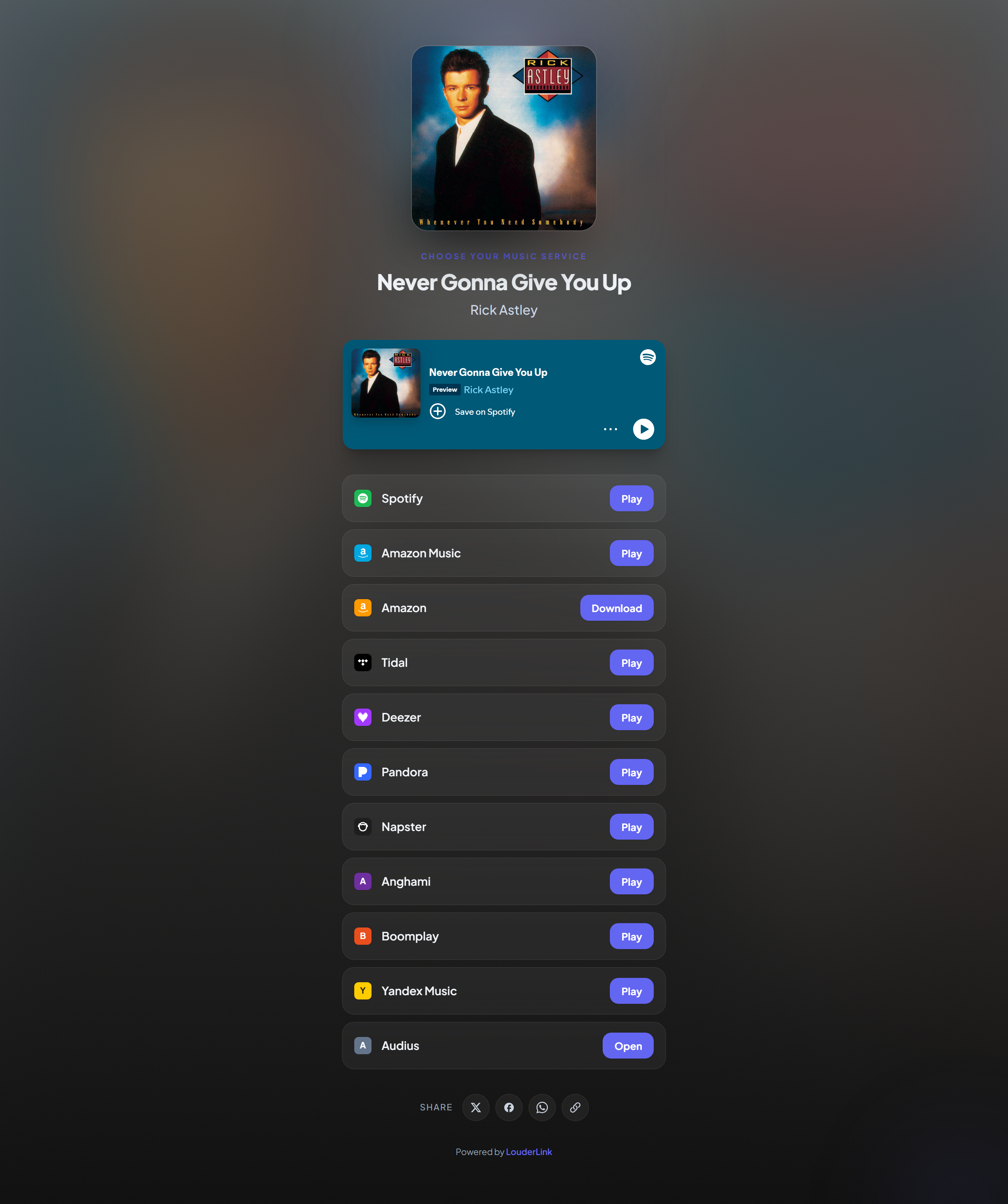
Making one#
Paste any public URL for the release from any service, and press create. We look it up and find it everywhere else. It takes a couple of seconds, and you land in the editor with everything filled in.
★ Brand-new releases
Choosing the address#
The part after the slash is yours to set on Indie and above. Pick something you would be happy reading out loud, because this is what goes on posters and in ads. Short and obvious beats clever.
Changing it later breaks anything already printed or posted, so settle on it before you start sharing. The QR code follows the link, not the address, so an existing QR keeps working.
Why buttons open the app#
On a phone, each button opens the fan's actual music app rather than a browser tab, using the native address that service publishes. That matters: a stream started in the app counts properly and the fan stays logged in, where a browser tab often asks them to sign in and they give up.
What else is in the editor#
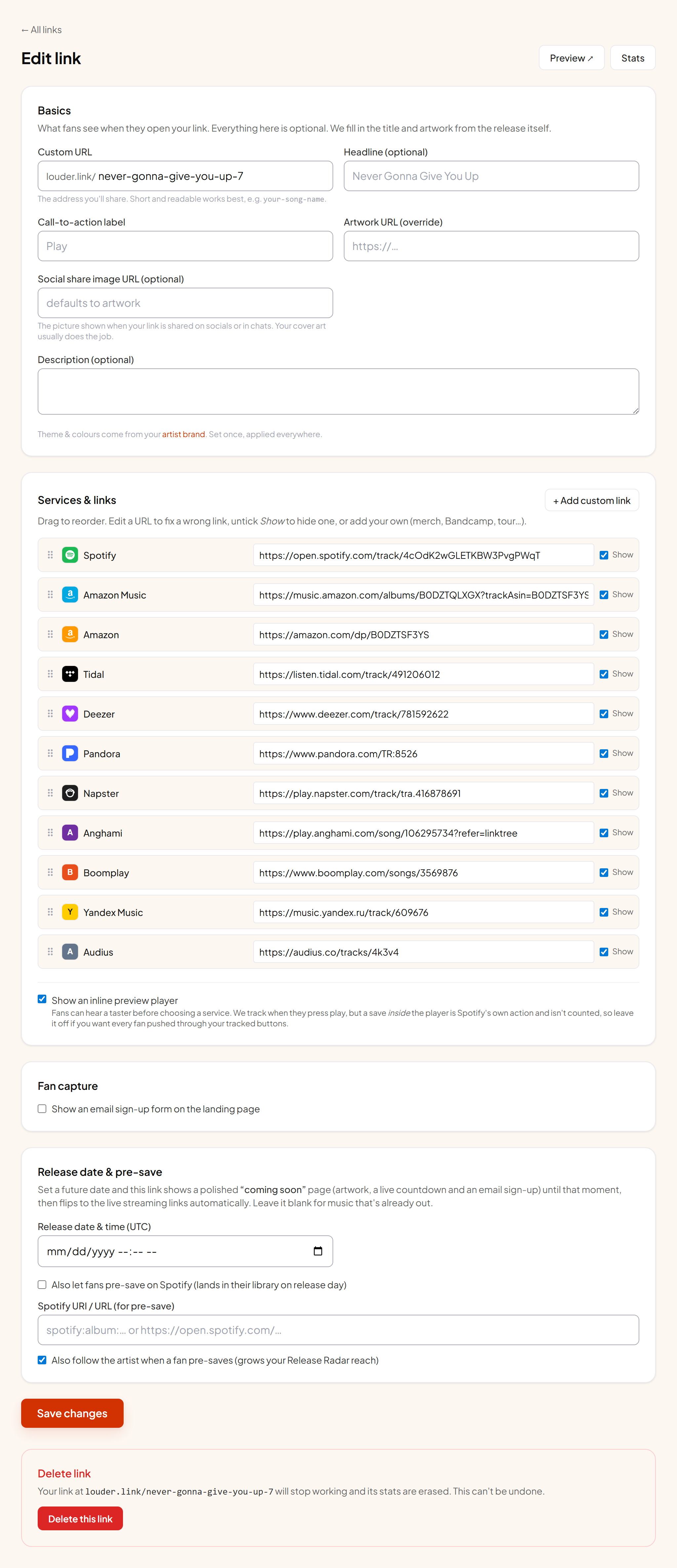
| Section | What it controls |
|---|---|
| Basics | Title, artist, description and the address. The title is what a fan reads first. |
| Look | Theme, accent colour, fonts and button shape. Covered in Design and appearance. |
| Services & links | Order, hiding, fixing a wrong match and adding your own buttons. Covered in Services and buttons. |
| Inline player | Whether fans can hear a taster on the page itself. |
| Fan capture | Whether the page asks for an email. |
| Release date | Scheduling, the coming-soon page and pre-saves. |
| Ad pixels | Which pixels this link fires, inherited from the artist. |
Creating one without an account#
The homepage will make a real, working link with no signup. Claim it while the tab is open and it moves into your account with its stats. There is no way to recover an unclaimed link later, because nothing links it to you.